02Telehealth mode
The therapist drives. The client holds the brake.
Run bilateral stimulation during a video visit without asking the client to touch the controls. The therapist page carries the same clinical controls as the room — presets, sets, pause. Consent is built into the mechanism: no code, no control.
Client's phone
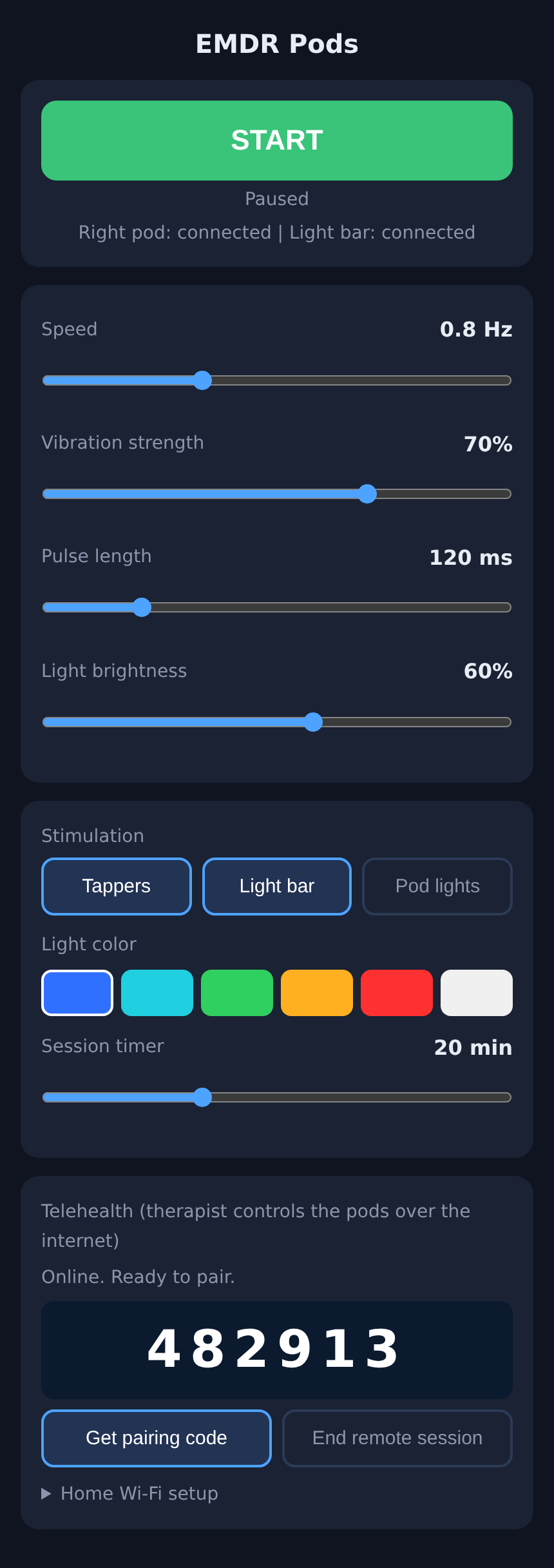
The pairing code appears on the same page that runs the kit. The client can end the remote session or press STOP at any moment.
Therapist's browser
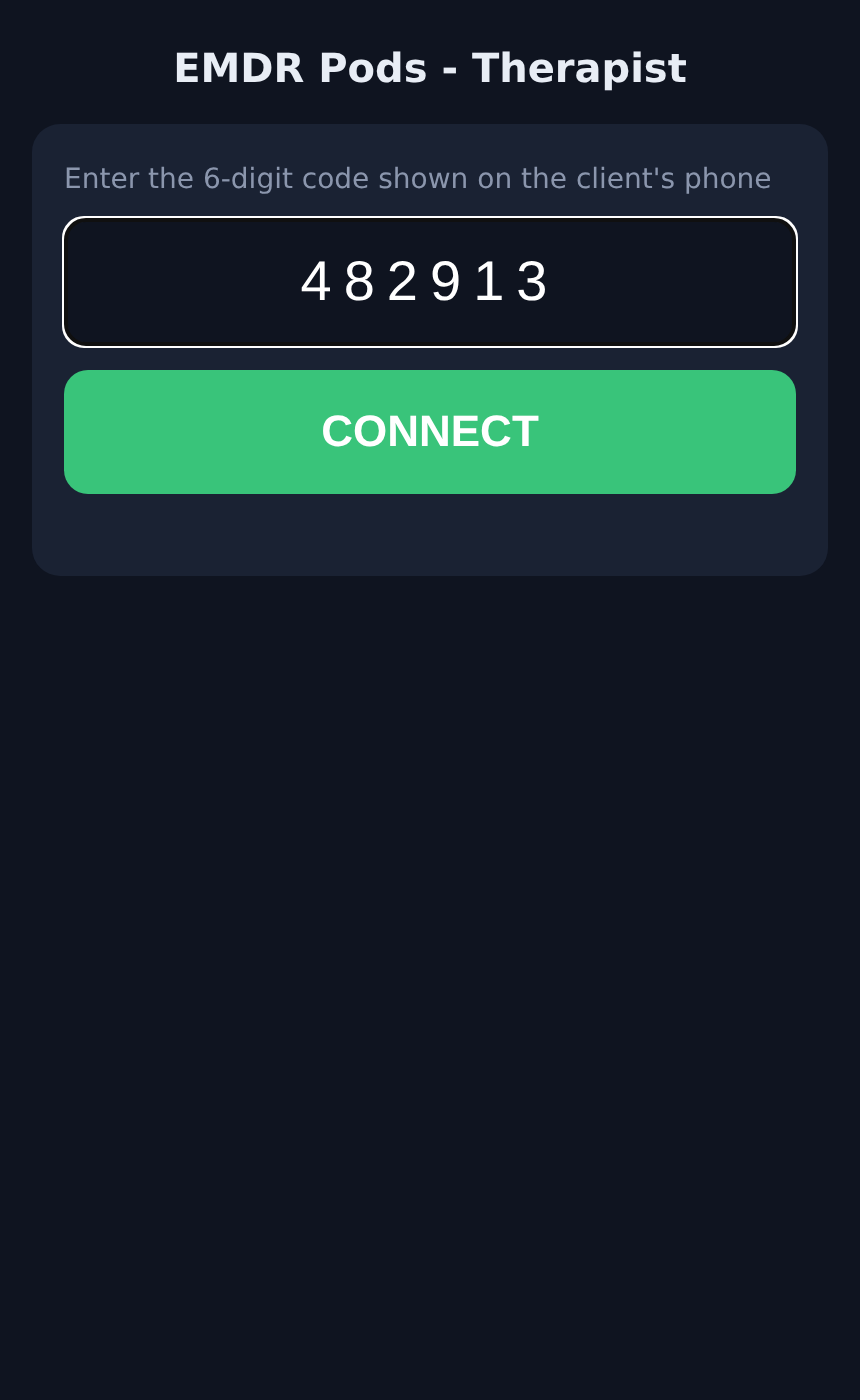
A single web page, no install, no login. Enter the code and get the full control set. A green dot shows the pod has been seen in the last five seconds.
One-time setup at home
On the kit's control page the client opens Home Wi-Fi setup, enters their network name and password once, and taps Save & connect. The left pod remembers it and shows "Online. Ready to pair." on every power-up.
Client gets a code
At the start of a visit the client taps Get pairing code and reads the six digits to you over your usual video call. The code lasts ten minutes and works once.
You enter it
Open the therapist page in any browser, type the code, CONNECT. You now have the same controls the client has — the whole clinical set: presets, set length, PAUSE and NEXT SET, start/stop, speed, strength, pulse length, light bar, colours, timer.
Client holds the brake
STOP on the client's phone stops the device and ends your session immediately — you drop back to the code screen and cannot reconnect without a fresh code. Either side can end it; sessions expire after two hours regardless.
Nothing clinical is missing over video
The therapist page carries the identical set, preset and pause controls: continuous by default, optional sets of 4–60 movements with NEXT SET, the four presets, and PAUSE that freezes the sweep in place without ending anything.
Audio runs on the client's own phone and earbuds, so it stays under the client's hand. Taps and light are yours to drive.
What crosses the internet
Beat timing is generated inside the pod, so a slow connection never changes the rhythm — only how quickly a setting change arrives (typically under a second). The video call itself runs on whatever platform you already use; EMDRgear never touches it.